ALPHA page
Alphabetical, not QWERTY
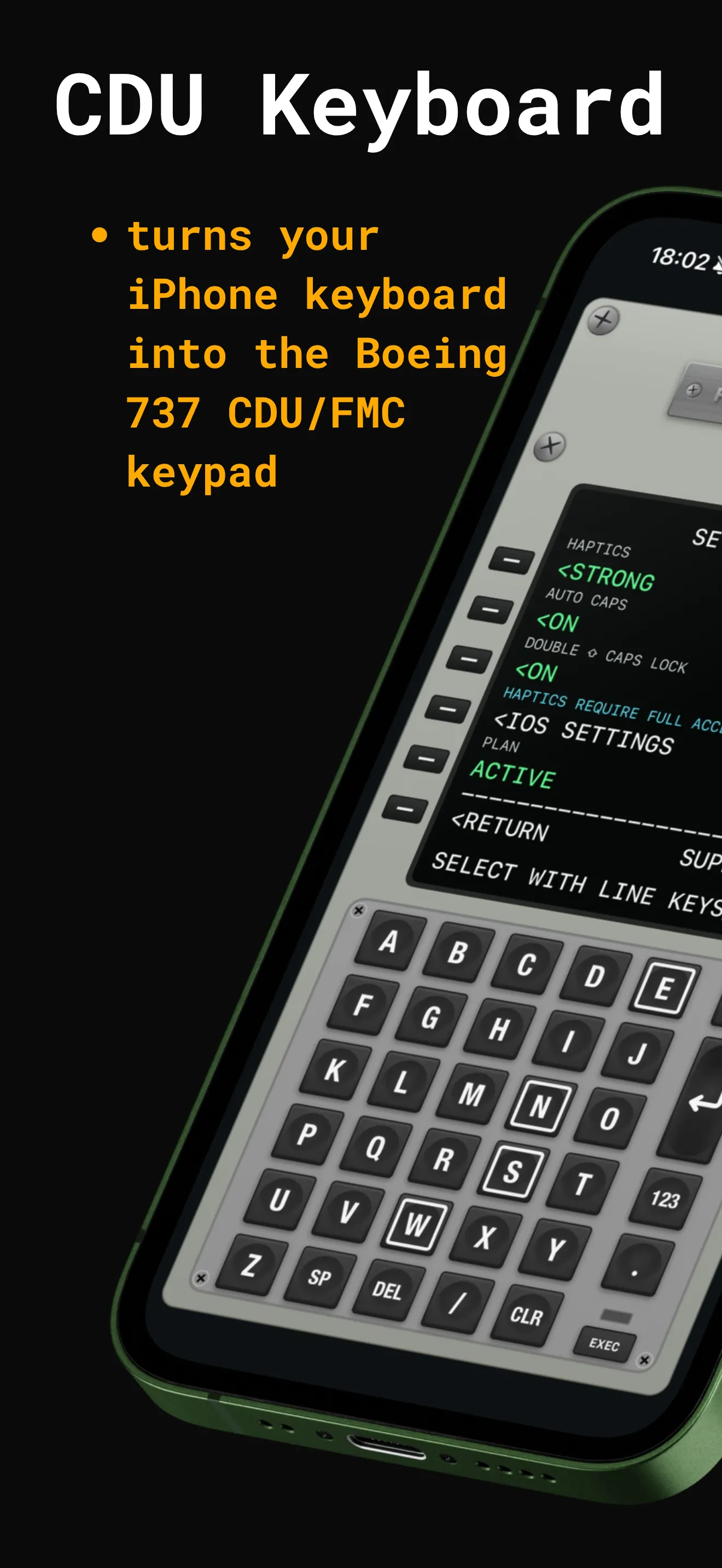
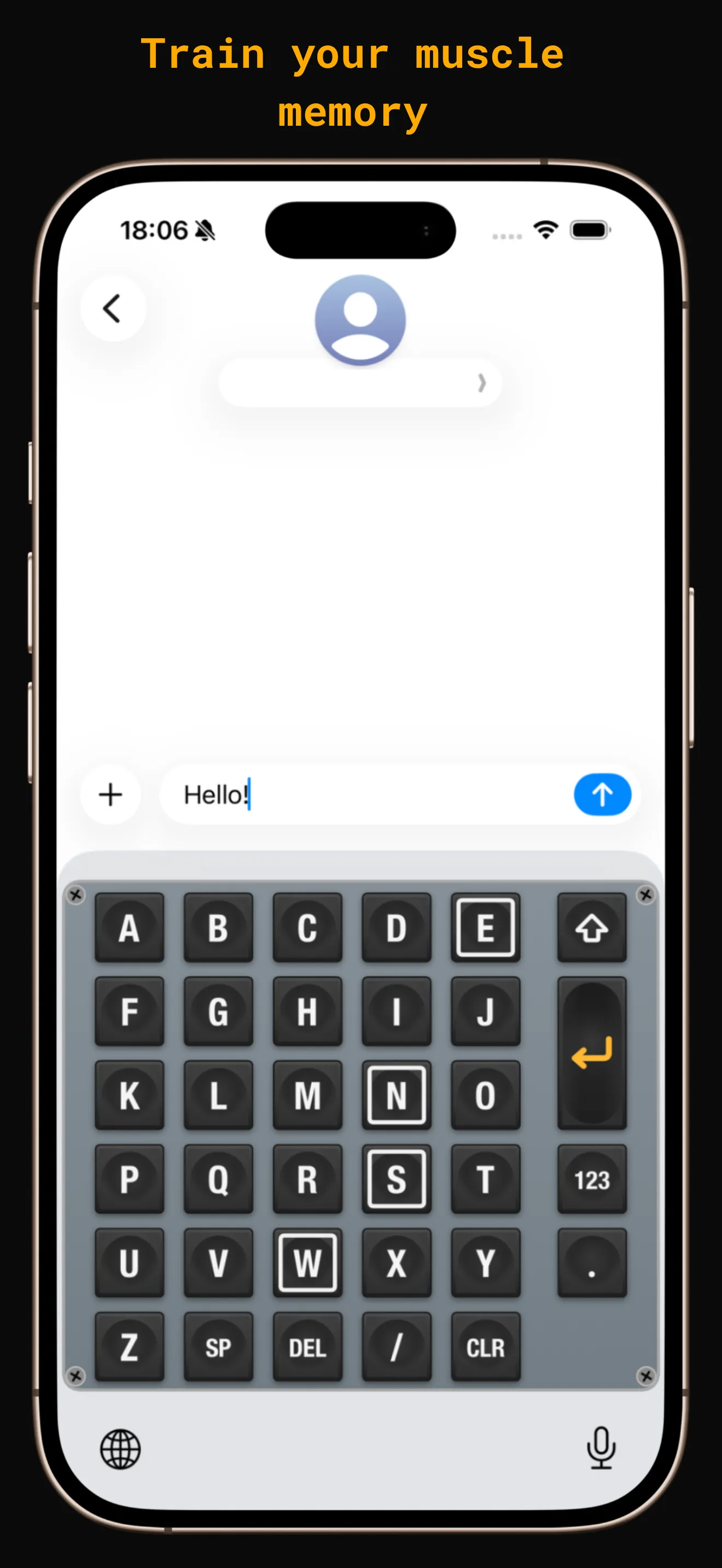
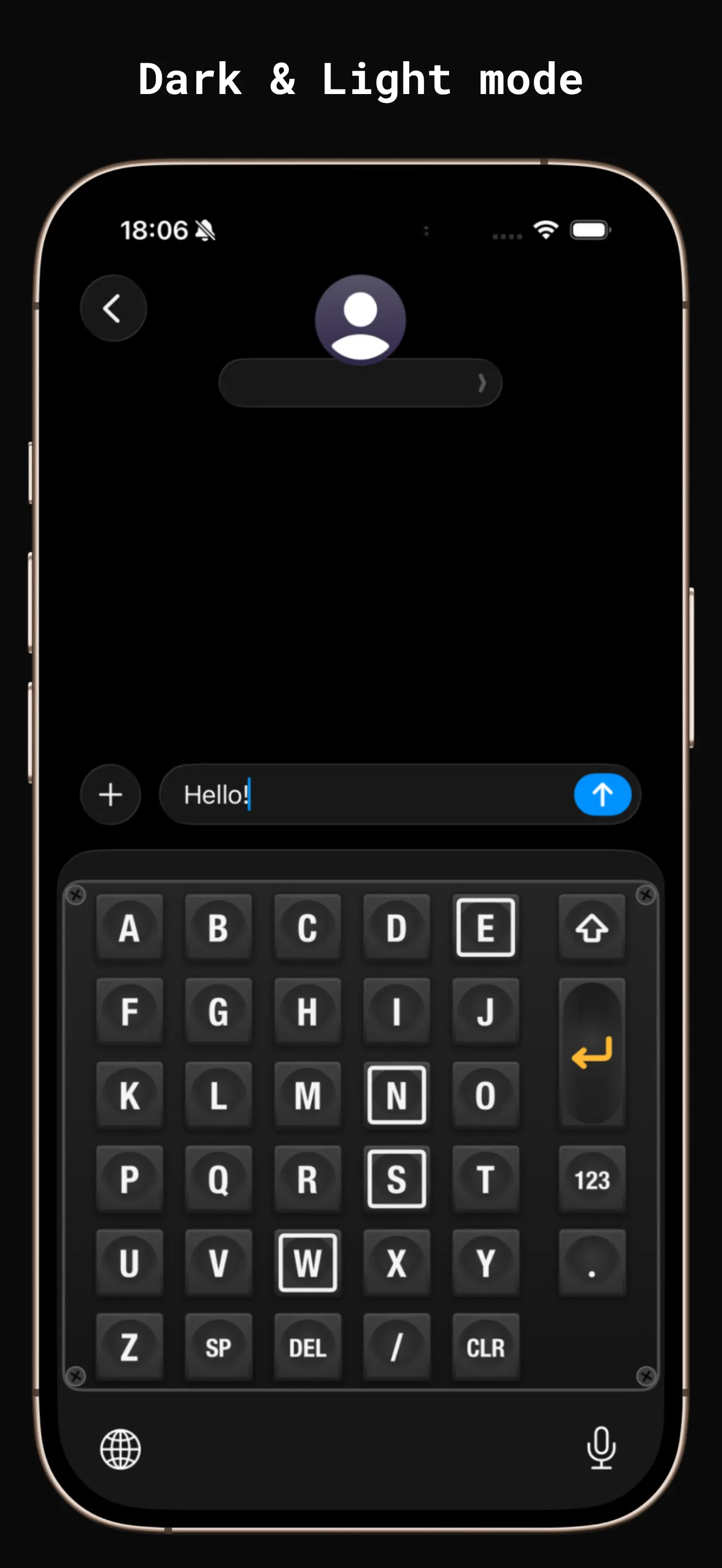
A B C D E across, F G H I J below. It is the CDU's own grid, down to the four caps the real unit outlines in white.
iOS keyboard · iPhone & iPad
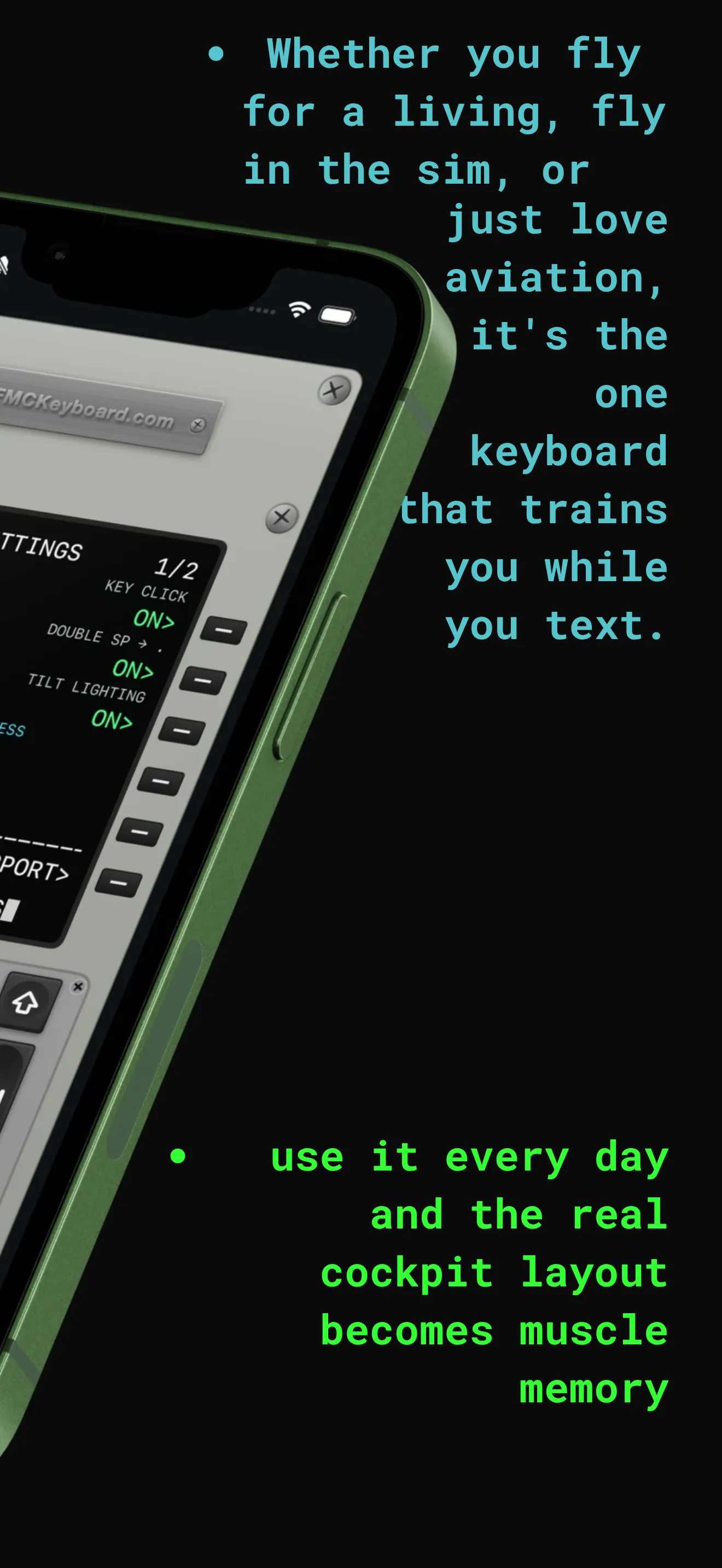
An alphabetical 5×5 keypad modelled on the Boeing 737 FMC — the same grid, the same outlined N E S W caps, the same amber annunciators. Type with it every day and the cockpit layout becomes muscle memory.
No trackingNo analyticsNo networking
TYPE WITH THE KEYS BELOW
Hold CLR to repeat, DEL to clear the field, ⇧ twice for caps lock.
Right-drag to turn the unit.
Features
ALPHA page
A B C D E across, F G H I J below. It is the CDU's own grid, down to the four caps the real unit outlines in white.
Case engine
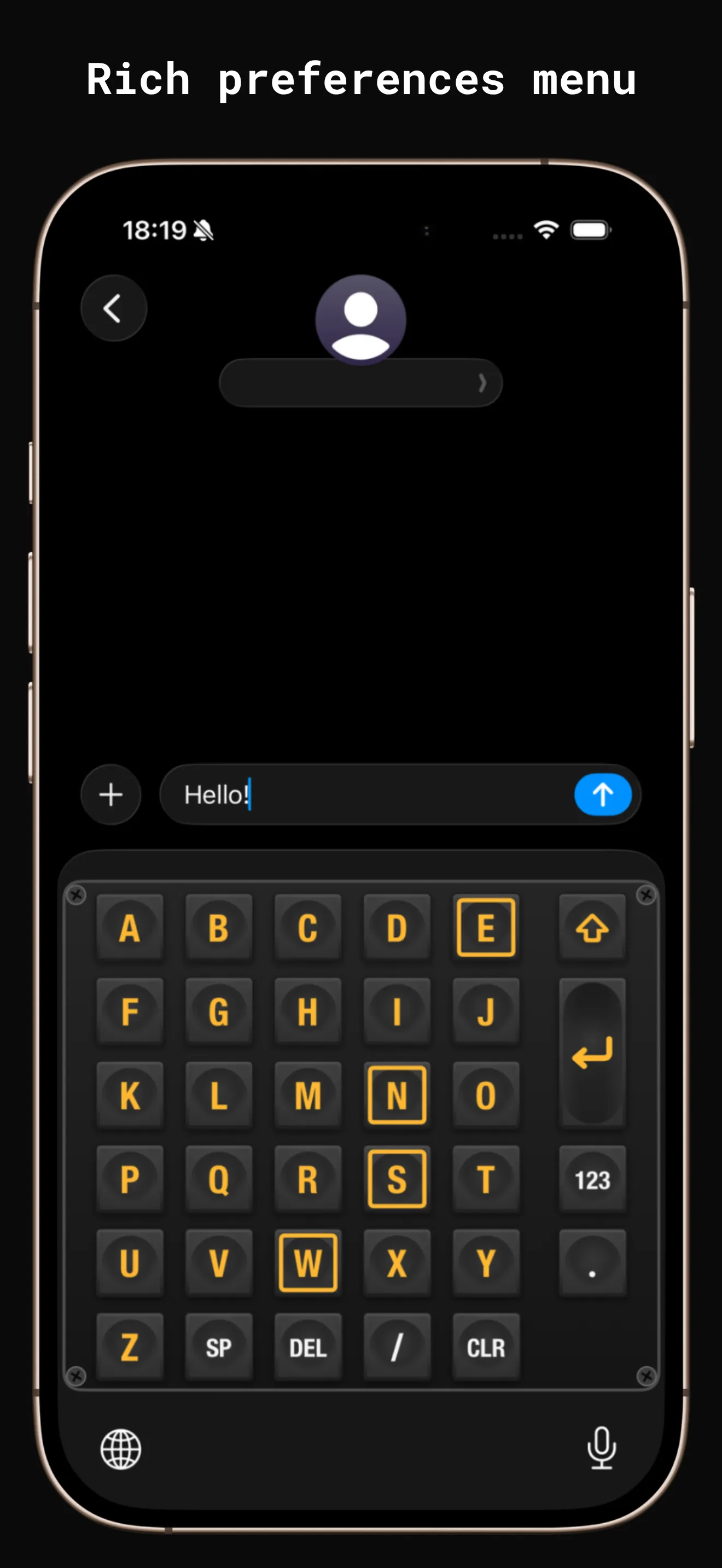
Keycaps are always upper case, so the app tells you the other way: amber letters mean the next letter will be capital, amber outlines mean caps lock is on.
Tilt lighting
The keyboard reads the gravity vector at 60 Hz and slides the sheen, the dish shading and the rim light across the caps as you tilt. Goes static under Reduce Motion.
Feel
A sharp click on key-down, lighter ticks while CLR repeats. Pick the strength — or turn it off and keep the system key sound instead.
DEFAULT · STRONG
Light & dark
The blue-grey plate by day, the black 737 housing at night. It follows the system appearance and repaints the moment iOS changes it.
Other pages
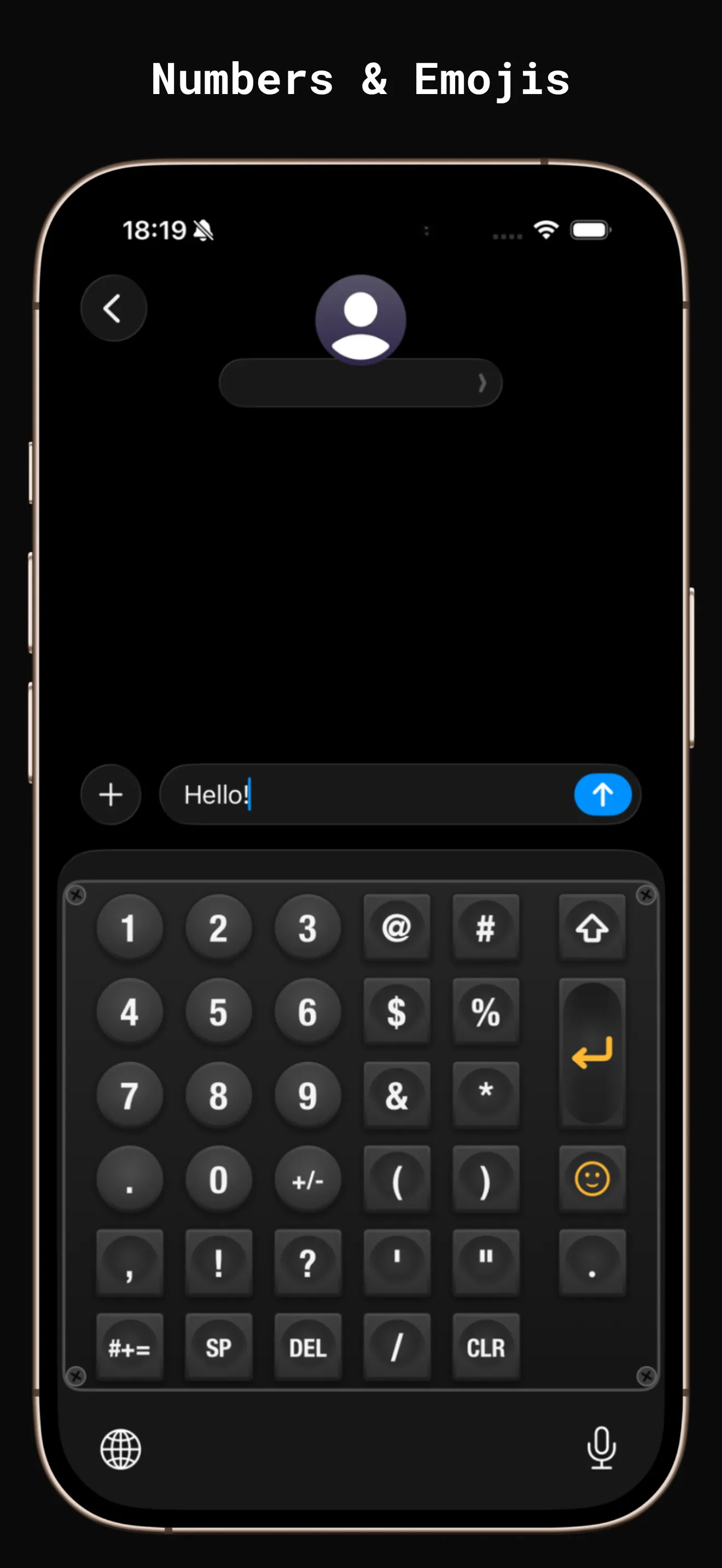
123 for round digit caps and punctuation, #+= for symbols, then four emoji pages — pilots, aircraft and the departure board included.
Hold, don't hunt
Privacy
The keyboard has no networking code. No clipboard, no contacts, no location, no analytics SDK, no ads. Full Access is requested for exactly one thing — unmuting the haptics — and it works fine without it.
Read the privacy policyiPad & landscape
Turn the phone, or open it on iPad, and the numeric pad from the real unit slides in beside the letters — because there is finally width for it.
Construction
Gradient plate, a 2 pt frame, four slotted corner screws, dished square caps and round digit caps — every part of the panel is rendered, so it stays sharp at any size and repaints instantly when iOS switches between light and dark.
Setup
iOS keeps third-party keyboards behind a switch in Settings. After that, FMC Keyboard sits in the 🌐 list next to the keyboards you already use — nothing is replaced.
REQUIRES iOS 16.0 OR LATER
<ADD KEYBOARD01
Add CDU to your keyboards
Settings › General › Keyboard › Keyboards › Add New Keyboard… › CDU.
<SWITCH02
Switch to it anywhere
Hold the 🌐 key in any app and pick CDU. It works in every text field on the phone.
<FULL ACCESS03
Optional: turn on haptics
iOS mutes keyboard haptics unless Full Access is on. That is the only thing it is used for — nothing else in the keyboard touches it.
SETTINGS > GENERAL > KEYBOARD > KEYBOARDS > ADD NEW > CDU
Unlock
The app is free to download, and the keypad inside it is live so you can feel the layout before you decide. Typing with it anywhere else needs the unlock — bought once, never billed again.
UNLOCK FOREVER
A single purchase unlocks the keyboard everywhere on your Apple ID. No renewal, no expiry, no second charge — it stays unlocked. Current pricing is shown in the app before you buy.
PRODUCT · fmc_keyboard_unlock_forever · GROUP · UNLOCK
Questions
No. iOS keyboards live side by side — hold the 🌐 key to switch between FMC Keyboard and whatever you already use. Nothing is taken away.
Only because iOS mutes keyboard haptics without it. The keyboard has no networking code at all, and never reads your clipboard, contacts, location or files. Leave Full Access off and everything except the vibration still works.
The app is free to download and you can try the keypad inside it, but the keyboard itself stays locked until you buy Unlock Forever — one payment, no renewal, nothing to cancel. Current pricing is shown in the app.
Yes. On iPad — and on iPhone in landscape — the real unit’s side numeric keypad appears alongside the letters, because there is width for it.
No. It reproduces the CDU keypad layout for familiarisation and training. It is not a flight instrument, is not certified for operational use, and is not affiliated with or endorsed by The Boeing Company or any airframe or avionics manufacturer.
iOS 16.0 or later, on iPhone or iPad.